





When it comes to managing money for tuition, books or back-to-school shopping, feeling empowered is key. Instant Balance puts you in control. Quickly and easily check up to six account balances at the touch of a button, all without logging in. Both parents and students can feel financially confident to view account balances and transfer money in an instant.
Get started by tapping the icon in the top right corner of the app. Then simply opt in to the feature and follow the prompts.
Log in to the latest version of our mobile app to get started
How it Works
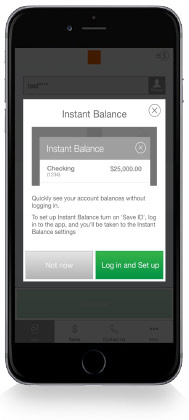
To enable Instant Balance, click on the Instant Balance icon at the top right corner of the login page. First-time users will be prompted with a pop-up screen — select “Log in and Set up.”
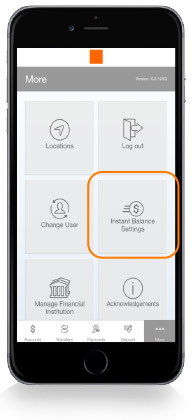
Once you have logged in to your account, select “More” from the main menu. From here, you can access Instant Balance Settings.
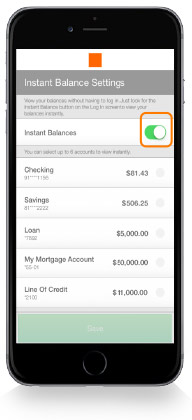
Toggle on the switch at the top of Instant Balance Settings and select the accounts you would like to preview (up to 6 accounts). Instant Balance is now enabled.
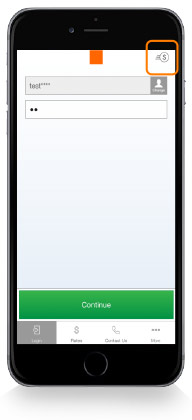
The next time you arrive at the login page, simply click on the Instant Balance icon at the top right corner of the screen.
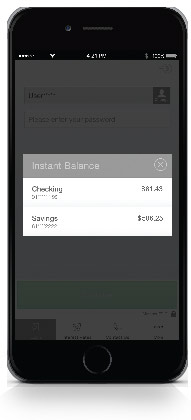
Your selected account balances will appear in the pop-up screen.